Best Link-in-Bio Tools for Brands and Creators in 2026
Social media platforms have changed the way businesses, creators, and individuals connect with their audiences. Instagram, TikTok, YouTube, and other networks provide powerful opportunities to share content, promote products, and build an online presence. However, there is one common limitation: your social media profile may offer only limited space for clickable links.
This is where link-in-bio tools become useful.
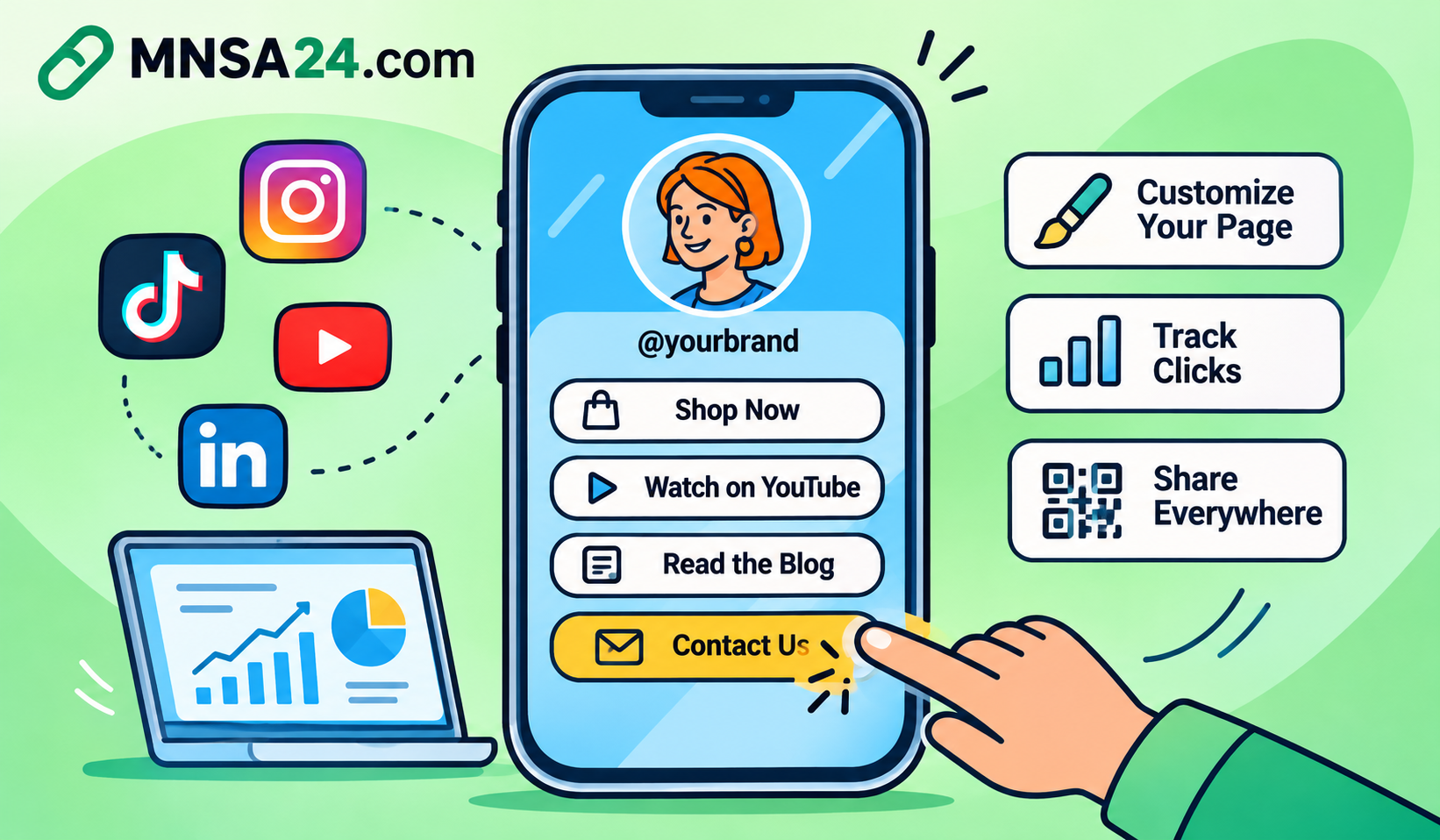
A link-in-bio tool allows you to create a single page containing multiple links to your website, online store, products, videos, contact information, and other important destinations. Instead of constantly changing the URL in your social media profile, you can maintain one permanent link and update the destinations whenever your priorities change.
For brands, this creates a more organized way to direct potential customers toward important campaigns. For content creators, it provides a simple way to showcase their work, promote collaborations, and connect followers with different platforms.
But not every link-in-bio platform serves the same purpose. Some focus on simple link directories, while others offer advanced customization, audience analytics, digital product sales, and marketing features.
In this guide, we explore the best link-in-bio tools for brands and creators in 2026, compare their main capabilities, explain what to look for before choosing a platform, and share practical tips for building a page that turns profile visits into meaningful actions.
Key Takeaways
- Link-in-bio tools turn a single social media profile URL into a page containing multiple destinations.
- The best platform depends on whether you need a simple link list, a branded landing page, or a creator storefront.
- Linktree and Lnk.Bio are useful options for straightforward multi-link pages.
- Carrd is worth considering when visual customization and simple landing pages are priorities.
- Beacons and Stan Store focus more on creator businesses and monetization.
- Later and Buffer offer bio-page features alongside social media management workflows.
- Bitly Pages combines landing pages with link management and QR Code capabilities.
- A successful bio page should highlight one primary action rather than overwhelm visitors with too many choices.
- Analytics and UTM parameters help you understand which links and campaigns generate traffic.
- A URL shortener such as MNSA24 can make individual promotional links easier to share and organize.
What Is a Link-in-Bio Tool?
A link-in-bio tool is a service that allows you to create a mobile-friendly webpage containing several clickable links and place its URL in your social media profile.
For example, imagine you run a small online business and use Instagram to promote your products.
You may want visitors to access:
- Your official website.
- Your latest product collection.
- Special offers.
- Your WhatsApp contact.
- Your YouTube channel.
- Customer support information.
- Your latest blog articles.
Instead of choosing only one destination, you can create a dedicated page that brings these resources together.
When someone visits your Instagram profile and clicks your bio link, they see your customized page and can choose the destination that interests them.
This approach is also useful for TikTok creators, YouTubers, freelancers, musicians, agencies, and personal brands.
How Does a Link-in-Bio Page Work?
The process is relatively simple:
- Choose a link-in-bio platform.
- Create an account and select a suitable page layout.
- Add your profile image, business name, and description.
- Insert the destinations you want visitors to access.
- Customize the appearance to match your brand.
- Publish your page.
- Copy its URL into your social media profile.
Once published, you can usually update the destinations without changing the URL displayed in your social media account.
This is particularly useful for businesses that regularly introduce new products, publish content, or run seasonal campaigns.
Why Do Brands and Creators Need a Link-in-Bio Tool?
A dedicated link-in-bio page can solve several practical problems associated with social media marketing.
1. Manage Multiple Destinations From One Link
Instead of switching your profile URL whenever you publish something new, you can direct visitors to one page containing your most important destinations.
This saves time and keeps your social media profiles consistent.
2. Promote Products and Services
Businesses can organize their most important offers in one location.
For example, an online store might display its latest collection, popular products, promotional offers, and customer support information.
3. Build a Stronger Brand Identity
Many platforms provide customization options such as profile images, colors, backgrounds, buttons, and different content blocks.
These elements can help create a recognizable experience for visitors.
4. Make Content Easier to Discover
Creators often publish content across several platforms.
A single page can help followers discover their YouTube videos, podcasts, newsletters, online portfolios, and other social accounts.
5. Understand Audience Behavior
Depending on the platform and subscription plan, analytics may show page views, individual link clicks, traffic sources, and other performance information.
This data can help you understand which destinations attract the most attention.
However, remember that page visits and clicks are not the same as purchases or conversions. You need appropriate destination analytics to measure those outcomes.
Do You Still Need a Dedicated Link-in-Bio Tool in 2026?
Yes, a dedicated link-in-bio tool can still be useful, especially when your social media presence involves multiple destinations or frequently changing campaigns.
Some platforms offer native options for displaying multiple profile links. These may be sufficient if you only need a small collection of static destinations.
However, a dedicated service becomes more valuable when you need:
- More control over page design.
- A clear hierarchy between important links.
- Different content sections.
- Branding and customization.
- Landing pages for campaigns.
- Performance reporting.
- A consistent destination across several social platforms.
The decision depends on your actual requirements.
If you only need three permanent links, a separate platform may be unnecessary. If you manage a business, promote several products, or run multiple campaigns, a dedicated hub can provide greater flexibility.
Best Link-in-Bio Tools for Brands and Creators in 2026
The market includes several platforms with different strengths. Some prioritize simplicity, while others focus on design, analytics, social media management, or creator monetization.
Below are eight options worth considering.
1. Linktree: Best for Simple Multi-Link Pages
Linktree is one of the best-known platforms in the link-in-bio category.
It allows users to create a central page containing multiple destinations and share that page through their social media profiles.
Key features to consider:
- Multiple clickable links.
- Customizable page appearance.
- Social media and website connections.
- Content and promotional links.
- Analytics options depending on the plan.
- Additional features for creators and businesses.
Best for: Beginners, individual creators, influencers, and small businesses that need a straightforward way to organize several links.
Potential limitation: Users looking for advanced website design or highly specialized ecommerce functionality may need additional services.
Official website: https://linktr.ee/
2. Beacons: Best for Creator Monetization
Beacons is designed primarily for creators who want to build an online presence and monetize their audiences.
Beyond basic link organization, the platform focuses on creator-oriented features and business tools.
Key features to consider:
- Customizable link-in-bio pages.
- Creator storefront functionality.
- Digital product promotion.
- Audience and email-related tools.
- Monetization features.
- Performance insights depending on the plan.
Best for: Influencers, content creators, and independent professionals who want to combine audience engagement with monetization.
Potential limitation: Its broader feature set may be unnecessary for users who only want a simple list of links.
Official website: https://beacons.ai/
3. Carrd: Best for Customizable Mini Websites
Carrd is a website-building platform that allows users to create simple, responsive one-page websites.
Although it is not exclusively a link-in-bio service, it can be an effective alternative for people who want more control over the design and structure of their profile destination.
Key features to consider:
- One-page website creation.
- Responsive layouts.
- Customizable templates.
- Forms and buttons.
- Embeddable content.
- Custom domain options depending on the plan.
Best for: Freelancers, designers, consultants, portfolios, and personal brands that want a more personalized landing page.
Potential limitation: Building a polished page may require more design work than using a ready-made link directory.
Official website: https://carrd.co/
4. Lnk.Bio: Best for Straightforward Link Organization
Lnk.Bio focuses on providing a simple way to organize multiple destinations behind one social media profile link.
It can be useful for people who prefer a lightweight setup without building a complete website.
Key features to consider:
- Multiple destination links.
- Customizable page layouts.
- Social media profile integration.
- Different presentation options.
- Additional features depending on the selected plan.
Best for: Individuals, influencers, and small businesses that want a relatively simple multi-link page.
Potential limitation: Users who need a complete marketing website or advanced sales workflows may require additional tools.
Official website: https://lnk.bio/
5. Stan Store: Best for Selling Digital Products
Stan Store is focused on helping creators sell products and services directly to their audiences.
It is more than a traditional link directory because its main purpose is to provide a creator-oriented storefront.
Key features to consider:
- Digital product listings.
- Online course and resource promotion.
- Booking-related workflows.
- Creator storefront pages.
- Sales-oriented features.
- Payment and checkout capabilities subject to availability and supported regions.
Best for: Coaches, educators, consultants, and creators who want to sell digital products or services.
Potential limitation: It may be excessive for someone who only needs a basic page containing social media and website links.
Official website: https://stan.store/
6. Later: Best for Social Media Marketing Workflows
Later is a social media marketing platform that combines content planning and publishing capabilities with additional tools for social profile traffic.
Its link-in-bio functionality can be useful for businesses that already use the platform to manage their social media activities.
Key features to consider:
- Social media scheduling.
- Content planning.
- Link-in-bio functionality.
- Social media marketing workflows.
- Performance insights depending on available features and plans.
Best for: Marketing teams, businesses, and creators who want social media management and profile traffic tools within a broader workflow.
Potential limitation: It may not be the most economical choice if your only requirement is a simple bio page.
Official website: https://later.com/
7. Buffer: Best for Small Teams and Social Media Management
Buffer is known for helping individuals and businesses plan, schedule, and publish social media content.
It also offers link-in-bio functionality through its broader social media workflow.
Key features to consider:
- Social media scheduling.
- Content publishing.
- Multiple social channels.
- Landing-page or bio-link functionality.
- Performance reporting depending on the plan.
Best for: Freelancers, small businesses, and social media managers who want to organize publishing and profile links together.
Potential limitation: Its main strength is social media management rather than advanced standalone website building.
Official website: https://buffer.com/
8. Bitly Pages: Best for Link Management and Marketing Campaigns
Bitly is widely known for URL shortening, but its product offering also includes landing pages and QR Code solutions.
Bitly Pages can help businesses and marketing teams create a centralized destination for social media traffic while keeping other link-management activities connected.
Key features to consider:
- Link-in-bio pages.
- Landing page creation.
- Short URL management.
- QR Code functionality.
- Campaign tracking options.
- Analytics across supported products and plans.
Best for: Businesses, marketing teams, and organizations that want their profile pages connected to a broader link-management workflow.
Potential limitation: Businesses looking primarily for a dedicated creator storefront with specialized ecommerce checkout features may prefer a platform built specifically for that purpose.
Official website: https://bitly.com/
Link-in-Bio Tools Compared: Which One Should You Choose?
Choosing the right platform becomes easier when you compare each service according to its primary purpose rather than simply counting features.
| Platform | Main Strength | Best Audience |
|---|---|---|
| Linktree | Simple multi-link pages | Beginners and creators |
| Beacons | Creator monetization | Influencers |
| Carrd | Customizable mini websites | Freelancers and designers |
| Lnk.Bio | Straightforward link organization | Individuals and small businesses |
| Stan Store | Digital product sales | Online creators |
| Later | Social media workflows | Marketing teams |
| Buffer | Social media scheduling | Small businesses |
| Bitly Pages | Link management and landing pages | Brands and marketers |
There is no universally best platform.
A creator selling online courses has different requirements from a restaurant promoting its menu or a marketing agency managing several client campaigns.
Choose the tool that solves your most important problem without paying for unnecessary features.
Best Free Link-in-Bio Tools
If you are starting a new project or testing a social media strategy, a free plan may be sufficient.
Several platforms offer entry-level options, although the number of pages, customization controls, analytics, and other features can vary.
Here are some options to investigate:
| Tool | Why Consider It | What to Check |
|---|---|---|
| Linktree | Quick multi-link setup | Branding and analytics limits |
| Beacons | Creator-oriented pages | Monetization restrictions |
| Carrd | Simple one-page websites | Customization and publishing limits |
| Lnk.Bio | Basic link organization | Available free features |
| Buffer | Social media workflow | Bio-page availability |
| Bitly | Link and page ecosystem | Page and analytics limits |
Important: Free plans and pricing can change. Always check the provider's official pricing page before creating an account or making a purchasing decision.
When Should You Upgrade to a Paid Plan?
A paid subscription may make sense when your existing solution prevents you from achieving an important business objective.
Consider upgrading when you need:
- More advanced branding and customization.
- A custom domain.
- Additional landing pages.
- More detailed analytics.
- Higher usage limits.
- Audience capture or marketing integrations.
- Ecommerce and monetization functionality.
Do not upgrade simply because a platform advertises additional features. Identify the limitation you need to solve first.
How to Choose the Best Link-in-Bio Platform for Your Needs
Before selecting a service, define what you expect your profile page to accomplish.
1. Identify Your Primary Goal
Different goals require different page structures.
| Your Goal | Recommended Approach |
|---|---|
| Share several social media accounts | Simple link directory |
| Promote products and services | Business landing page |
| Sell digital products | Creator storefront |
| Showcase your portfolio | Design-focused mini website |
| Collect potential customers | Lead-generation landing page |
| Track marketing campaigns | Page with analytics and tracking |
2. Check Mobile Compatibility
Most social media profile visitors access bio links from mobile devices.
Your page should therefore:
- Load properly on smartphones.
- Display readable text.
- Use buttons that are easy to tap.
- Avoid unnecessary animations.
- Organize content vertically.
- Make the primary action easy to find.
A beautiful desktop layout is not enough if the mobile experience is difficult to navigate.
3. Look for Useful Analytics
Analytics help you understand whether your page is attracting attention and which destinations visitors choose.
Depending on the service, useful measurements may include:
- Total page views.
- Individual link clicks.
- Traffic sources.
- Visitor locations.
- Device information.
- Performance over time.
Check which metrics are included in the plan you intend to use.
4. Consider Branding and Custom Domains
A consistent brand experience can make your profile page look more professional.
Look for options that allow you to customize:
- Your business name.
- Profile image or logo.
- Page colors.
- Fonts.
- Button appearance.
- Background.
- Custom domain, if supported.
5. Review Integrations and Future Needs
If you manage a growing business, your link-in-bio page may eventually need to connect with email marketing, analytics, booking systems, ecommerce platforms, or customer management tools.
Consider whether the platform supports your existing workflow before committing to a paid subscription.
How to Create a Link-in-Bio Page That Gets More Clicks
Selecting a good platform is only the first step.
The way you organize your page can have a significant impact on how visitors interact with it.
Think of your link-in-bio page as a small landing page rather than a collection of random buttons.
1. Start With Your Brand Identity
Display your name, business name, or brand logo clearly.
Add a short description explaining what visitors can find on the page.
For example:
"Digital Marketing Resources, SEO Guides, and Online Business Tools."
This gives visitors immediate context.
2. Add One Primary Call to Action
Your most important destination should appear near the top.
Examples include:
- Shop the Latest Collection.
- Explore Our Services.
- Read Our Latest Guide.
- Book a Consultation.
- Download the Free Resource.
Use specific wording that explains what happens when someone clicks.
3. Organize Supporting Links
Place secondary destinations below your main action.
For example:
- Main website.
- Latest articles.
- YouTube channel.
- Contact information.
- Other social media profiles.
Avoid adding every URL you have ever used.
Too many equally prominent choices can make it harder for visitors to decide what to do.
4. Use Consistent Visual Design
Your page should reflect the identity of your business or personal brand.
Use a consistent color palette, readable typography, and high-quality images.
Avoid unnecessary decorative elements that distract visitors from your main objective.
5. Keep Your Page Updated
Remove expired promotions and outdated information.
If you launch a new product or publish an important article, move the relevant destination higher on the page.
A link-in-bio page should reflect your current priorities, not campaigns that ended several months ago.
6. Test Your Links Regularly
Broken links create a poor visitor experience.
Check your destinations periodically, especially after changing website URLs, launching campaigns, or updating your social media profiles.
How to Track Link-in-Bio Performance
A link-in-bio page becomes more valuable when you understand how people use it.
However, tracking should cover more than the number of page visits.
Consider the complete visitor journey:
Social Media Profile → Bio Page → Destination Link → Website Visit → Conversion
Each stage provides different information.
Use UTM Parameters to Identify Traffic Sources
UTM parameters are tracking tags added to a destination URL.
They help analytics platforms identify where website visitors came from and which campaign brought them to your website.
For example:
https://example.com/products?utm_source=instagram&utm_medium=social&utm_campaign=summer_launch
The parameters identify:
utm_source: Instagram.utm_medium: Social.utm_campaign: Summer Launch.
You can create separate campaign links for Instagram, TikTok, YouTube, and other channels.
This makes it easier to compare traffic from different platforms using Google Analytics 4.
Use Short Links to Organize Promotional Destinations
Long URLs can be difficult to share in social media profiles, captions, messages, and promotional materials.
A URL shortener can turn a long destination into a more manageable link.
For example, MNSA24.com provides a URL shortening service that can help users create shorter links for websites, articles, products, and other online destinations.
You can use shortened links for:
- Social media campaigns.
- Product promotions.
- Blog articles.
- Business contact pages.
- Email newsletters.
- Digital marketing materials.
For example, if you share the same article through Instagram and TikTok, you can create separate short links for each placement.
Where click statistics are available in your selected account plan, use them to compare link activity.
For deeper website attribution, combine your shortened links with UTM parameters and Google Analytics 4.
Remember: A URL shortener and a link-in-bio platform serve different purposes. A short URL redirects visitors to a destination, while a link-in-bio page organizes multiple destinations behind one profile URL. You may use both together.
Common Link-in-Bio Mistakes to Avoid
Even a well-designed page can perform poorly when its content is disorganized or its purpose is unclear.
Avoid these common mistakes.
1. Adding Too Many Links
A long list of destinations can overwhelm visitors.
Prioritize the links that matter most and remove unnecessary options.
2. Using Unclear Button Text
Labels such as "Click Here" do not explain what visitors will receive.
Use action-oriented descriptions such as "Explore Our Services" or "Read the Full Guide."
3. Ignoring Mobile Users
A page that looks good on a desktop may be difficult to navigate on a smartphone.
Always test the actual mobile experience.
4. Forgetting to Update Campaigns
Expired offers and outdated announcements can reduce trust.
Review your page whenever your marketing priorities change.
5. Ignoring Analytics
Without performance data, you may continue promoting destinations that receive little interest.
Review clicks and conversions before changing your page structure.
6. Using Too Many Redirects
Every additional step can create friction.
Whenever possible, send visitors directly to the destination they expect.
7. Focusing on Design Instead of Clarity
Visual appearance matters, but it should support the visitor's decision.
A simple page with a clear purpose can be more useful than an elaborate design filled with unnecessary elements.
Final Thoughts: Which Link-in-Bio Tool Is Best in 2026?
The best link-in-bio tool depends on your audience, business model, and marketing objectives.
Linktree and Lnk.Bio are worth considering for straightforward multi-link pages. Carrd offers more flexibility for simple custom websites. Beacons and Stan Store are more suitable for creators interested in monetization and digital products. Later and Buffer may appeal to teams that already use their social media management services.
Bitly Pages is worth considering when you want landing pages connected to link management, QR Codes, and marketing analytics.
Before making your decision, compare the available features, pricing, branding options, mobile experience, and reporting capabilities.
For businesses and creators who regularly share individual URLs, a shortening service such as MNSA24.com can complement a link-in-bio page by making promotional links easier to distribute and organize.
Ultimately, the goal is not to collect as many links as possible. It is to help visitors find the right destination quickly, take the next step, and have a better experience with your brand.
Frequently Asked Questions
1. What is the best link-in-bio tool in 2026?
The best tool depends on your requirements. Linktree is suitable for simple link directories, Beacons and Stan Store focus on creator businesses, Carrd offers flexible one-page website design, and Bitly Pages connects landing pages with broader link-management capabilities.
2. Are link-in-bio tools free?
Several platforms offer free plans, including Linktree, Beacons, Carrd, and other services. However, free plans may restrict customization, analytics, page limits, or advanced features. Check each provider's current pricing information.
3. Do I need a link-in-bio tool for Instagram?
Not necessarily. If Instagram's native profile-link options meet your needs, you may not need another service. A dedicated tool becomes useful when you want more design control, organized destinations, campaign updates, or additional analytics.
4. Can I use one link-in-bio page for Instagram and TikTok?
Yes. You can generally share the same published page URL across Instagram, TikTok, YouTube, and other supported platforms. You can also create separate tracking links to compare traffic from different channels.
5. What should I include on my link-in-bio page?
Start with your name or brand identity, a short description, and one primary call to action. Add a few supporting destinations, such as your website, products, latest content, contact information, or social media profiles.
6. How many links should I add to my bio page?
There is no fixed ideal number. Start with the destinations that matter most to your audience. A short, organized list is generally easier to navigate than a page containing dozens of equally important buttons.
7. What is the difference between a link-in-bio tool and a URL shortener?
A link-in-bio tool creates a webpage containing multiple destinations behind one profile URL. A URL shortener converts a long URL into a shorter redirecting link. Both can be used together as part of a social media marketing strategy.
8. Can I track clicks on a link-in-bio page?
Yes, if your selected platform provides analytics. Depending on its features and plan, you may be able to review page views, individual link clicks, and traffic sources. UTM parameters can provide additional website campaign information through Google Analytics 4.
9. Are link-in-bio pages good for businesses?
Yes. They can help businesses organize product links, services, contact details, promotions, and important website destinations in one convenient location. They are particularly useful when social media is an important source of customer traffic.
10. Can I use a custom domain for my link-in-bio page?
Some platforms support custom domains or branded URLs, although availability may depend on the subscription plan. Check the provider's documentation before purchasing a domain specifically for this purpose.
11. Is a link-in-bio page the same as a landing page?
No. A link-in-bio page usually provides several destinations, while a traditional landing page is generally designed around one main conversion goal, such as a purchase, registration, or lead submission.
12. Can MNSA24 replace a link-in-bio tool?
MNSA24 is a URL shortening service, not a direct replacement for a dedicated link-in-bio platform. You can use it to create shorter links for individual destinations and share them through social media profiles or within a link-in-bio page.