
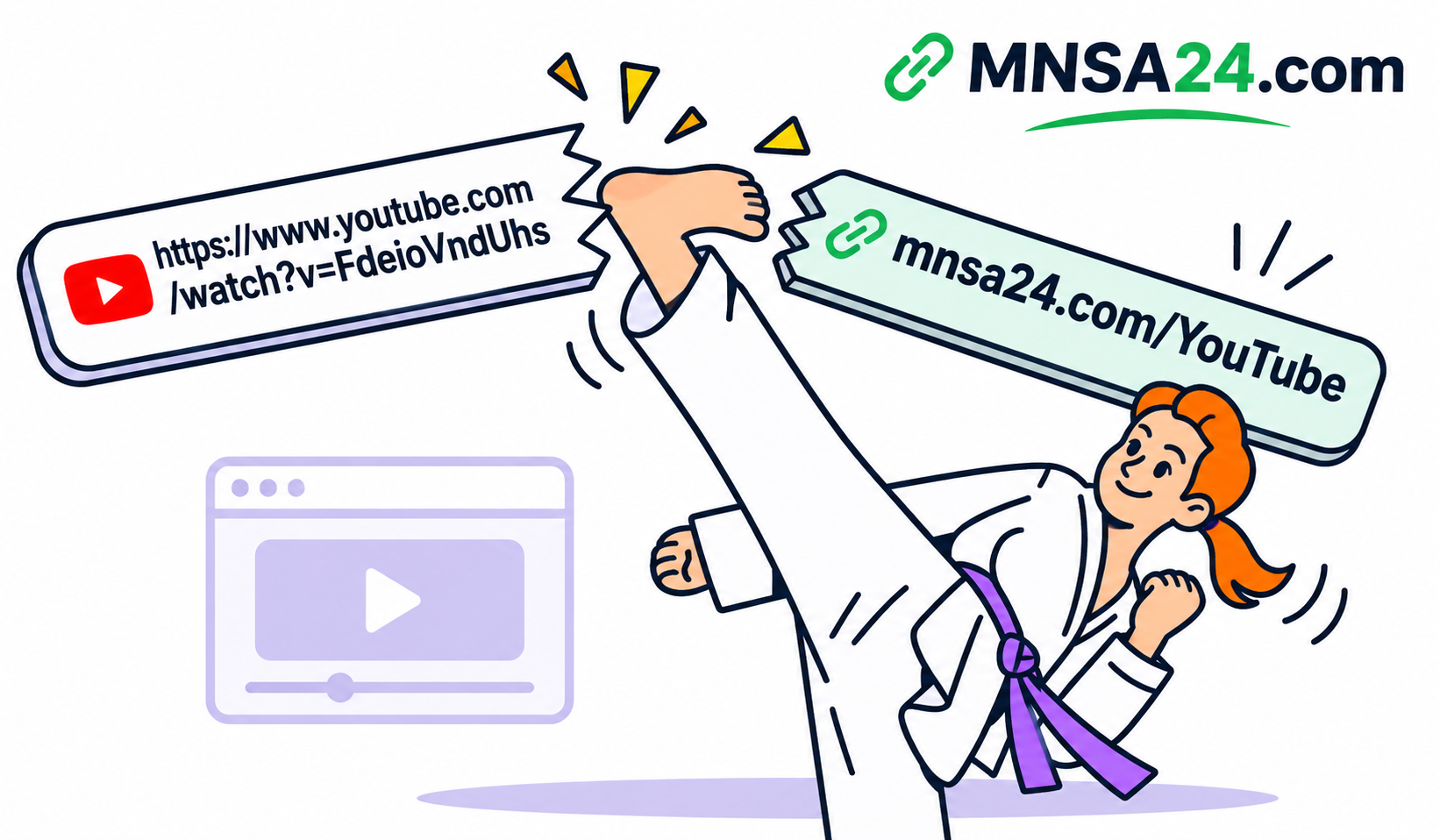
How to Shorten YouTube Links in 2026 (Free & Easy)
Sharing YouTube videos is part of everyday online communication. Whether you are a content creator, digital marketer, business owner, or social media user, sharing clean and easy-to-remember links can make a difference in how people interact with your content.
However, YouTube URLs can sometimes be long and difficult to manage, especially when they contain additional parameters, playlist information, or tracking details.
A YouTube link shortener solves this problem by converting long URLs into shorter, more convenient links that are easier to share across social media platforms, websites, emails, and messaging applications.
In this guide, you will learn how to shorten YouTube links, understand the difference between YouTube's native short URLs and third-party link shorteners, and discover how to use MNSA24 to create shorter links for your videos and other online content.
Key Takeaways
- A YouTube link shortener converts long video URLs into shorter, easier-to-share links.
- YouTube provides its own shortened URL format through the
youtu.bedomain. - Third-party URL shorteners offer additional link management options, depending on their features.
- You can shorten links to YouTube videos, Shorts, playlists, and channel pages.
- Short links make sharing content across social media, websites, and messaging platforms more convenient.
- MNSA24 provides a simple way to shorten YouTube URLs and other long web addresses.
What Is a YouTube Link Shortener?
A YouTube link shortener is an online tool that converts a long YouTube URL into a shorter link while preserving the original destination.
For example, a standard YouTube video URL may look like this:
https://www.youtube.com/watch?v=FdeioVndUhs
A shortened YouTube URL looks like this:
https://youtu.be/FdeioVndUhs
You can also use a third-party URL shortening service to create a compact link that redirects visitors to the original YouTube video.
The main purpose is to make links easier to share, organize, and manage.
Instead of posting a lengthy URL in a social media caption or sending it through a messaging application, you can share a shorter version that takes up less space.
Why Should You Shorten YouTube Links?
Shortening YouTube links is useful for creators, businesses, marketers, and anyone who regularly shares video content online.
Here are some of the main advantages.
1. Make Links Easier to Share
Long URLs can look cluttered in social media posts, emails, and messages.
Short links create a cleaner appearance and make it easier for people to recognize and copy the destination.
They are particularly useful when sharing multiple video resources in one message.
2. Improve Your Social Media Posts
Platforms such as Facebook, Instagram, X, and LinkedIn are commonly used to promote YouTube content.
A shorter URL can help keep captions and promotional messages organized without unnecessary characters.
This is especially useful for creators who share new videos regularly.
3. Make Links More Convenient for Mobile Users
Many people access YouTube through smartphones.
Short links are easier to copy, paste, and share in mobile conversations, particularly when users are sending several links at once.
4. Organize Your Marketing Campaigns
Businesses and content creators often distribute the same YouTube video across multiple platforms.
Using separate shortened links for different promotional placements can help organize campaigns and, when analytics are available, compare their performance.
5. Create a Cleaner Online Presence
Short URLs look more organized in email signatures, website pages, promotional materials, and social media biographies.
They also make it easier to maintain consistent link formatting across different communication channels.
YouTube Short Links vs Third-Party URL Shorteners
YouTube already provides a built-in way to share shorter video URLs. However, third-party URL shortening services can provide additional functionality.
Understanding the difference helps you choose the right solution.
| Feature | YouTube youtu.be | Third-Party Shortener |
|---|---|---|
| Short video URLs | Yes | Yes |
| Free video sharing | Yes | Depends on the service |
| Custom short links | No | Depends on the service |
| Branded domains | No | Depends on the service |
| Link management | Limited | Depends on the service |
| Click analytics | No built-in short-link dashboard | Depends on the service |
| Non-YouTube URLs | No | Yes |
Which option should you choose?
If you simply want to share a YouTube video with someone, the native youtu.be format is usually sufficient.
However, if you regularly share different types of links or want to manage your URLs through one service, a third-party link shortener such as MNSA24 can be a practical option.
How to Shorten YouTube Links with MNSA24
MNSA24 makes shortening long URLs simple and convenient.
You do not need advanced technical knowledge to create a shorter link.
Follow these steps:
Step 1: Copy Your YouTube Video URL
Open YouTube and navigate to the video you want to share.
Click or tap the Share button and select Copy Link.
You will receive a URL pointing to the selected video.
Step 2: Visit MNSA24
Open the MNSA24 website:
https://mnsa24.com
Navigate to the URL shortening tool.
Step 3: Paste Your YouTube URL
Copy the YouTube link and paste it into the URL input field on MNSA24.
Make sure the destination address is correct before proceeding.
Step 4: Create Your Short Link
Use the available shortening option to generate your new URL.
If the platform offers customization options for your account, you can use the available settings to organize your shortened link.
Step 5: Copy and Share Your New Link
Once your short link has been generated, copy it and share it wherever your audience is most active.
You can use it in:
- Facebook posts and comments.
- Instagram biographies and Stories.
- TikTok profiles.
- X posts.
- WhatsApp and Telegram messages.
- Email newsletters.
- Websites and blogs.
Your audience can click the shortened URL to reach the original YouTube destination.
What Types of YouTube Links Can You Shorten?
A URL shortening service can be useful for different types of YouTube destinations, not just regular video pages.
Here are some common examples.
1. Regular YouTube Videos
You can shorten links to standard YouTube videos, including tutorials, reviews, interviews, entertainment videos, and educational content.
This is useful when promoting individual uploads across multiple platforms.
2. YouTube Shorts
YouTube Shorts are designed for short-form vertical video content.
Creators can shorten their Shorts URLs before sharing them on social media, messaging applications, or websites.
3. YouTube Playlists
Playlists allow viewers to watch multiple videos organized around a particular topic.
A shortened playlist URL can make it easier to promote an entire video series instead of sharing individual videos separately.
4. YouTube Channels
Businesses, creators, and publishers can share shortened links to their YouTube channel pages.
This is particularly useful when encouraging people to discover a channel and explore its content.
5. YouTube Live Streams
You can also shorten links to scheduled or active live streams.
This makes promotional links easier to distribute through event announcements, newsletters, and social media campaigns.
Important: Always test the generated link before publishing it to make sure it redirects to the intended YouTube destination.
How to Share Shortened YouTube Links Effectively
Creating a short link is only the first step. Where and how you share it can influence how many people discover your content.
Consider these practical strategies.
Share Links on Facebook
Facebook is widely used for sharing videos, news, tutorials, and entertainment content.
Place your shortened YouTube link alongside a clear description explaining why people should watch the video.
Avoid misleading headlines or promotional messages that do not accurately represent the content.
Add Links to Instagram
Instagram offers several ways to direct followers to external content.
You can place your shortened YouTube link in your profile biography or use the available link-sharing features in Stories.
For creators, this provides another way to connect Instagram followers with longer YouTube videos.
Use Short Links on TikTok
If you create short-form videos on TikTok, you can use your profile link to direct interested viewers to your YouTube channel or selected videos.
Make sure the destination matches the content you are promoting.
Share Links Through WhatsApp and Telegram
Messaging applications are useful for sharing videos with friends, customers, communities, and subscribers.
Short URLs help keep messages readable, especially when sharing multiple resources.
Add Links to Your Website or Blog
If you operate a website, you can use shortened YouTube links within relevant articles, resource pages, and promotional sections.
For better user experience, make sure the link text clearly explains what visitors will find after clicking.
Best Practices for Using a YouTube URL Shortener
Although shortening URLs is straightforward, a few good practices can help you use them more effectively.
Check the destination before sharing.
Always verify that your shortened link redirects to the correct video, playlist, or channel.
Use trustworthy shortening services.
Choose a service with clear policies and a reliable reputation. Avoid using shortened URLs to disguise harmful or misleading destinations.
Keep your links organized.
If you share multiple videos, use descriptive names or available organizational features to identify each destination.
Avoid excessive redirects.
Whenever possible, use a direct destination and avoid sending visitors through unnecessary intermediate pages.
Respect copyright and platform policies.
Only promote content you have permission to distribute, and follow YouTube's terms and applicable copyright requirements.
Test links on mobile devices.
Since many people watch YouTube on smartphones, check that your shortened URLs work correctly on mobile browsers and devices.
Are YouTube Link Shorteners Free?
Yes. You can shorten YouTube URLs for free using YouTube's native sharing feature.
Third-party URL shortening services may also provide free plans, although their features and usage limits vary.
Some platforms offer additional options through paid subscriptions, such as custom domains, advanced analytics, greater link limits, or additional management features.
Before choosing a service, review its pricing, limitations, privacy policy, and available features.
If you simply need to convert long YouTube URLs into shorter links, start with a straightforward solution such as MNSA24.
Why Choose MNSA24 for Shortening YouTube Links?
MNSA24 is an online URL shortening platform designed to make long web addresses easier to share.
Instead of managing lengthy URLs individually, users can create shorter links for YouTube videos and other online destinations.
Whether you are a content creator, blogger, digital marketer, or everyday internet user, MNSA24 provides a convenient starting point for organizing and sharing links.
You can use MNSA24 to:
- Shorten YouTube video URLs.
- Create shorter links for YouTube Shorts.
- Share playlist and channel links.
- Convert long website URLs into compact links.
- Make links easier to distribute across social media.
- Manage your link-sharing workflow from one platform.
Available features may vary depending on your account and subscription plan.
Visit MNSA24.com to explore the available URL shortening features and create your first short link.
Final Thoughts
A YouTube link shortener is a simple but useful tool for anyone who regularly shares video content online.
YouTube's native youtu.be links are suitable for quick sharing, while third-party URL shorteners provide an alternative for people who want to manage different types of web addresses through one platform.
Whether you are promoting videos, sharing playlists, growing a YouTube channel, or distributing educational content, shorter URLs can make your links more convenient to use.
If you are looking for a simple way to shorten YouTube links and other long URLs, give MNSA24 a try.
Visit MNSA24.com today and make sharing links easier.
Frequently Asked Questions
1. What is the best YouTube link shortener?
The best YouTube link shortener depends on your needs. YouTube's native youtu.be links are suitable for basic sharing, while third-party services such as MNSA24 can help users shorten YouTube URLs and other web addresses.
2. How can I shorten a YouTube link for free?
Copy the YouTube video URL, visit MNSA24.com, paste the original URL into the shortening field, and use the available option to generate a shorter link.
You can also use YouTube's built-in Share button to obtain a native youtu.be URL.
3. Can I shorten YouTube Shorts links?
Yes. You can use a third-party URL shortening service to shorten YouTube Shorts URLs in the same way you shorten regular YouTube video links.
4. Can I shorten a YouTube playlist URL?
Yes. Copy the playlist URL from YouTube and paste it into a URL shortening tool. The generated link should redirect visitors to the original playlist.
5. Does shortening a YouTube link change the video?
No. URL shortening does not modify the original video, its title, description, or content. It creates a shorter address that redirects visitors to the original destination.
6. Are shortened YouTube links safe?
Shortened links can be safe when created through trustworthy services. However, because the destination may not be immediately visible, users should only open links from sources they trust.
7. Can I share shortened YouTube links on WhatsApp?
Yes. You can share shortened YouTube links through WhatsApp conversations, groups, and other messaging applications, provided the destination complies with the platform's policies.
8. Can I shorten links other than YouTube URLs?
Yes. General-purpose URL shortening services such as MNSA24 can be used for many types of web addresses, including websites, articles, product pages, and other online resources.
9. Does a shorter YouTube link increase video views?
Not automatically. Shortening a URL does not directly improve YouTube rankings or guarantee more views. However, clean and convenient links can make sharing easier and help distribute content across additional channels.
10. Do YouTube short links expire?
YouTube's native video links generally remain usable as long as the destination remains available. Third-party shortened links are subject to the service's policies, account status, and link management rules.